
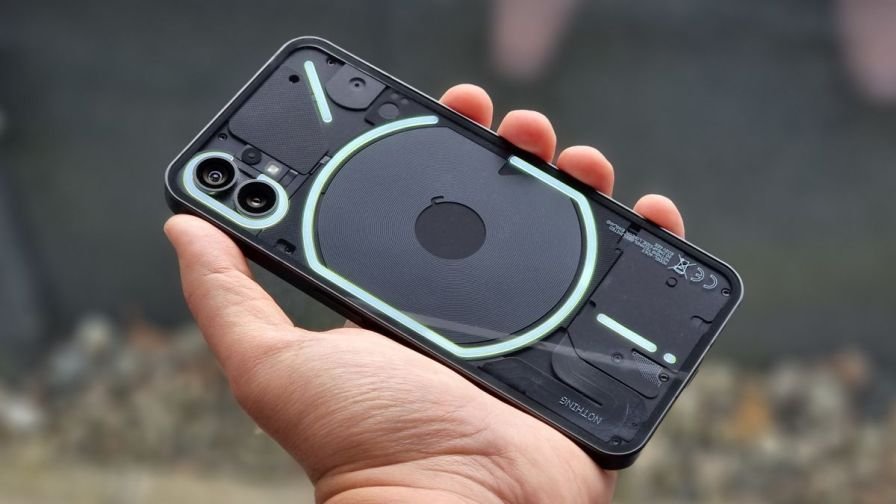
The Nothing Phone (1) has officially started receiving the stable Nothing OS 3.0 update, based on Android 15, following a month-long beta testing phase. The update introduces several cutting-edge features, enhanced customizations, and a refreshed UI, offering users a more seamless and personalized experience.
Here’s a detailed look at the new features and a step-by-step guide to installing the update.
What’s New in Nothing OS 3.0 for Phone (1)?
- Shared Widgets:
- New Photo Widget can be shared between users, allowing you and your loved ones to view the same widget on your device screens.
- Note: This feature is in its early stages and may have minor bugs.
- AI-Powered Smart Drawer:
- Automatically categorizes apps and prioritizes the most-used ones at the top.
- Users can pin their favorite apps for quicker access.
- Customizable Lockscreen:
- Long-press the lock screen to customize clock styles and add widgets for better accessibility.
- Enhanced Multitasking:
- Apps in Pop-up View can now be resized and moved anywhere on the screen.
- Incoming notifications can also be opened in pop-up view, enabled via Settings > Special features > Pop-up view.
- UI Refinements:
- Dot animations for fingerprint unlocking.
- A more configurable Quick Settings panel.
- Larger widget library and richer UI elements for settings like Network & Internet and Bluetooth.
- Auto-Archive Unused Apps:
- Unused apps can be automatically archived to free up storage space.
- Partial Screen Recording:
- Allows recording only a portion of the screen, helping to hide sensitive information.
- Predictive Back Gesture:
- More apps now support this gesture, improving navigation.
How to Install Nothing OS 3.0 on Phone (1)
Before updating, ensure the following:

- Storage Space: Enough free space to accommodate the update.
- Battery Charge: At least 50% battery.
- Backup: Save your important data as a precaution.
- Internet Connection: Stable and reliable Wi-Fi.
Steps to Install the Update:
- Open Settings: Go to your Phone (1)’s Settings menu.
- Select System: Scroll down and tap on System.
- Check for System Update: Choose System Update and let the device search for available updates.
- Download and Install: If the Nothing OS 3.0 update is available, tap Download. Follow on-screen instructions.
- Reboot: During installation, the device may reboot automatically.
Post-Update Note: Users might experience temporary overheating and increased power consumption as the system adapts to the new OS.

Author Profile

- My name is Ganpat Singh Choughan. I am an experienced content writer with 7 years of expertise in the field. Currently, I contribute to Daily Kiran, creating engaging and informative content across a variety of categories including technology, health, travel, education, and automobiles. My goal is to deliver accurate, insightful, and captivating information through my words to help readers stay informed and empowered.
Latest entries
 PoliticsMay 29, 2026Political Tensions Rise in Kuchaman as RLP Protests BJP Leaders Visit
 NationalMay 29, 2026Political Turmoil in Karnataka: Siddaramaiah Meets Congress Leaders in Delhi
 National NewsMay 28, 2026Siddaramaiah Resigns as Karnataka Chief Minister; DK Shivakumar Poised to Take Over
 PoliticsMay 27, 2026Satish Punia Meets Governor Gulabchand Kataria in Chandigarh